![5f31aff63dbd5c7276c1adbb_logo (1).svg]](https://support.genustechnologies.com/hubfs/Genus%20Logos/5f31aff63dbd5c7276c1adbb_logo%20(1).svg)
Tungsten Capture
-
On the Capture Server or Workstation, Open the License Utility
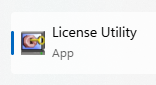
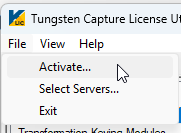
- Select File -> Activate
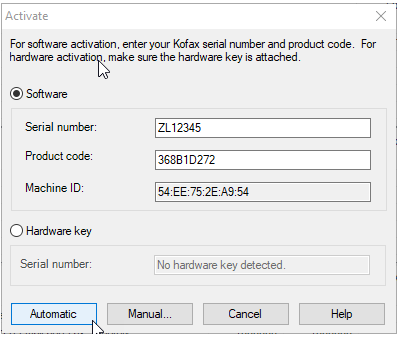
- Click Automatic
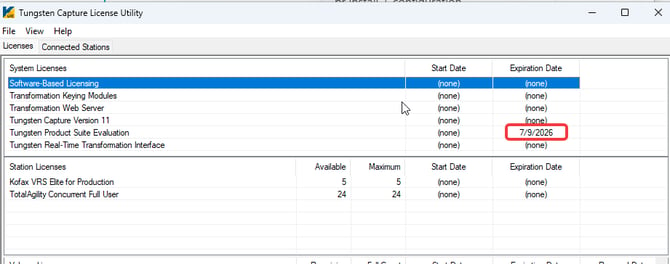
- If successful, you should see the Expiration Date updated to a later date.
- If Automatic Activation Fails. See steps below on Manual Activation.
TotalAgility
-
Go to TotalAgility Designer/Advanced Studio
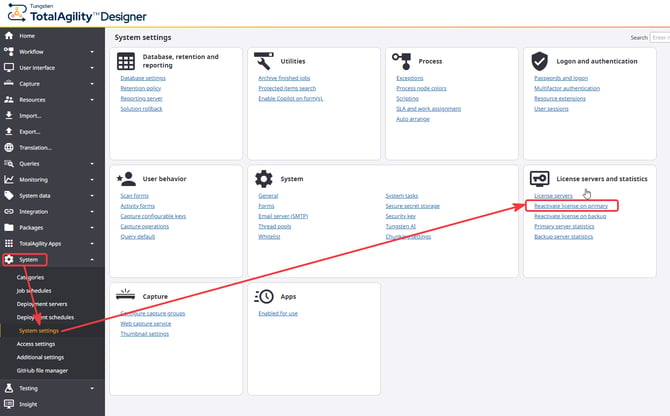
- Select System -> System Settings and within the License Servers and Statistics, click Reactivate license on primary
- Click on Reactivate
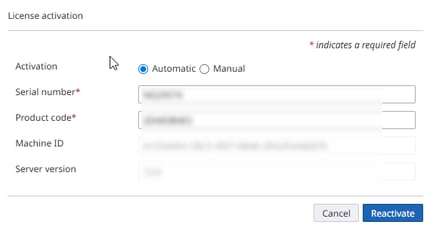
- If successful, you can go to Primary Server Statistics and check that the Expiration date has been updated.
Note: If automatic license activation fails, possibly because the server has no internet access, you can manually activate your licenses by following the manual activation steps below.
Manual Activation Steps
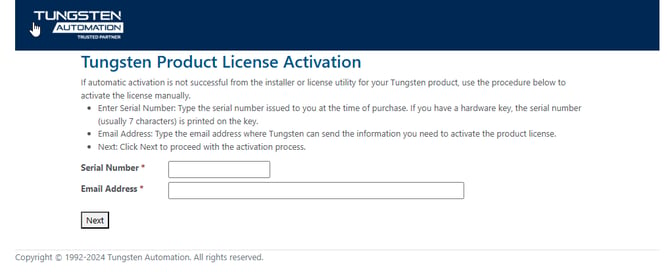
- Go to the following link: https://activatelegacy.kofax.com/support/Activation/manual.aspx
- Enter your Serial Number (Generally begins with 2 characters followed by 5 digits)
- Enter Your Email Address and click Next
- On the next page - Enter in your Product Code and Machine ID as seen from your License Utility
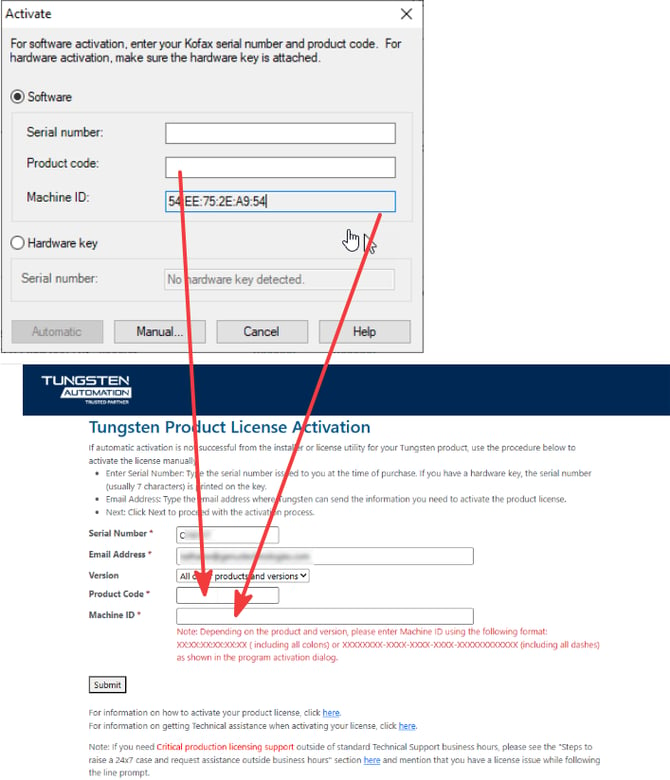
- After entering the information into the form click the Submit button
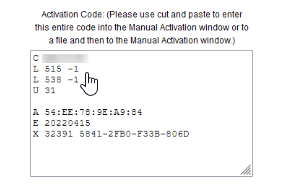
- The manual activation code will be generated below the form which you can copy and paste into the Manual Activation section of your licensing application.
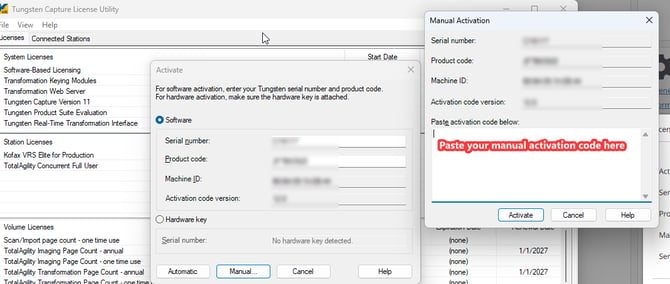
- In Capture, this is pasted into the License Utility
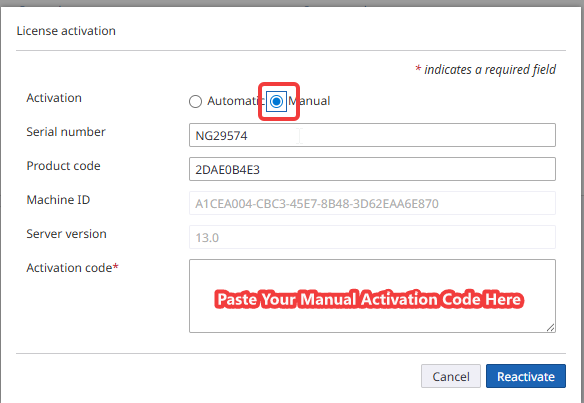
- In TotalAgility, select the Manual radio box and paste your code below then click Reactivate.
If you are a current Genus Technologies customer and are running into issues with the reactivation of your license, please reach out to support@genustechnologies.com for assistance.